Withdrawals & approvals
Withdrawals & approvals
Send funds out, via API or the dashboard.
Customer withdrawals (API)
POST /withdraw sends funds from a customer’s balance to an address:
amountis in base units unlessuseDecimal: true, which interprets it as a whole-token decimal.- Set
requireApproval: trueto force manual approval. If the customer’s email is on your active withdrawal approval email allowlist, that override skips this flag and the customer USD withdraw-threshold hold (destination-address, low-liquidity, and risk gates still apply). - A withdrawal blocked by risk screening returns
451. - A withdrawal that needs approval fires a
CUSTOMER_WITHDRAW_AWAITING_APPROVALwebhook; on broadcast you getCUSTOMER_WITHDRAW.
Organization withdrawals (dashboard)
The wallet balance card at the bottom of the left navigation is the entry point on every dashboard page. Expand it to see the balance per product (Custodial, Checkout, Batch Payout), then open its actions menu → Withdraw:
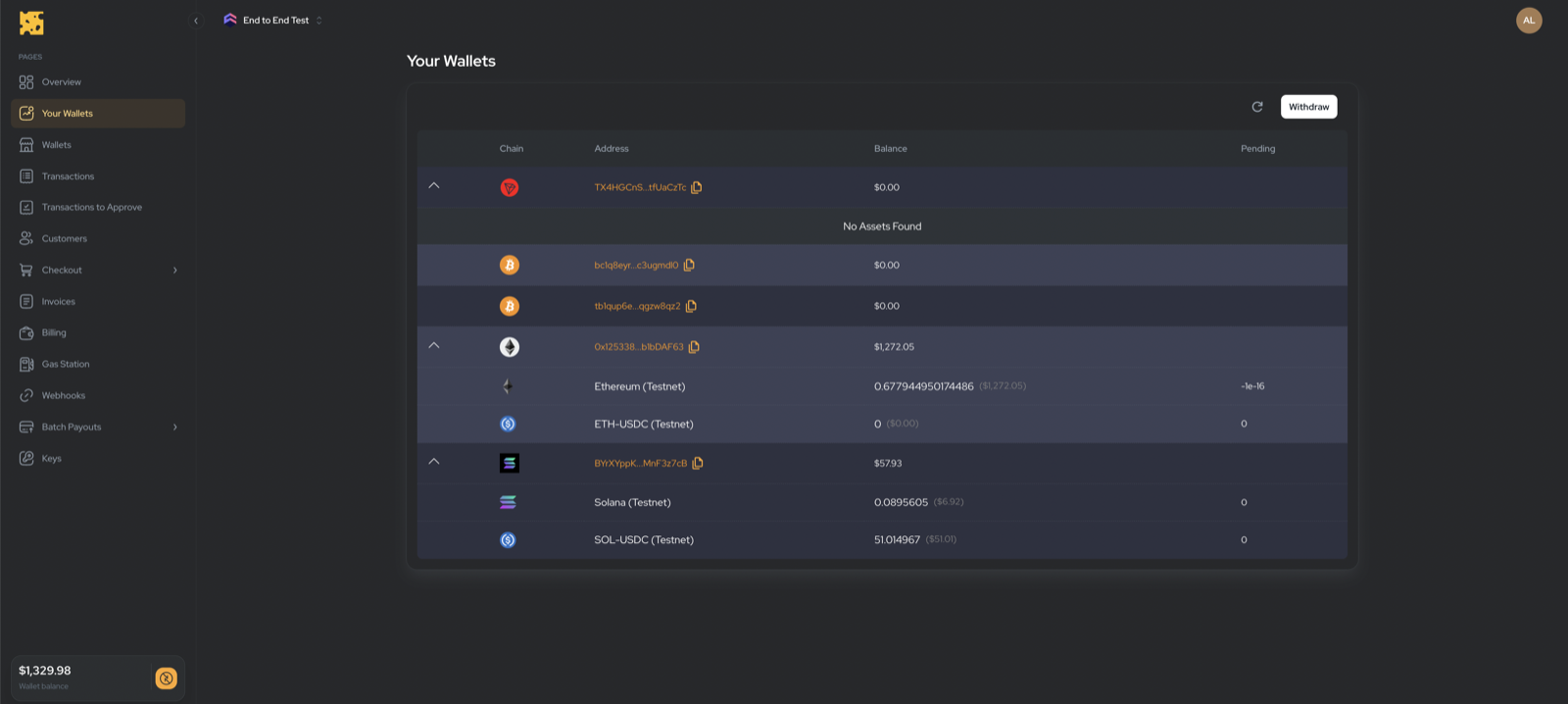
- Select Token and confirm the Network.
- Choose a Withdraw Address — only addresses on your organization’s whitelist are selectable. An empty whitelist blocks the action.
- Enter an Amount (or Max, which subtracts the network fee).
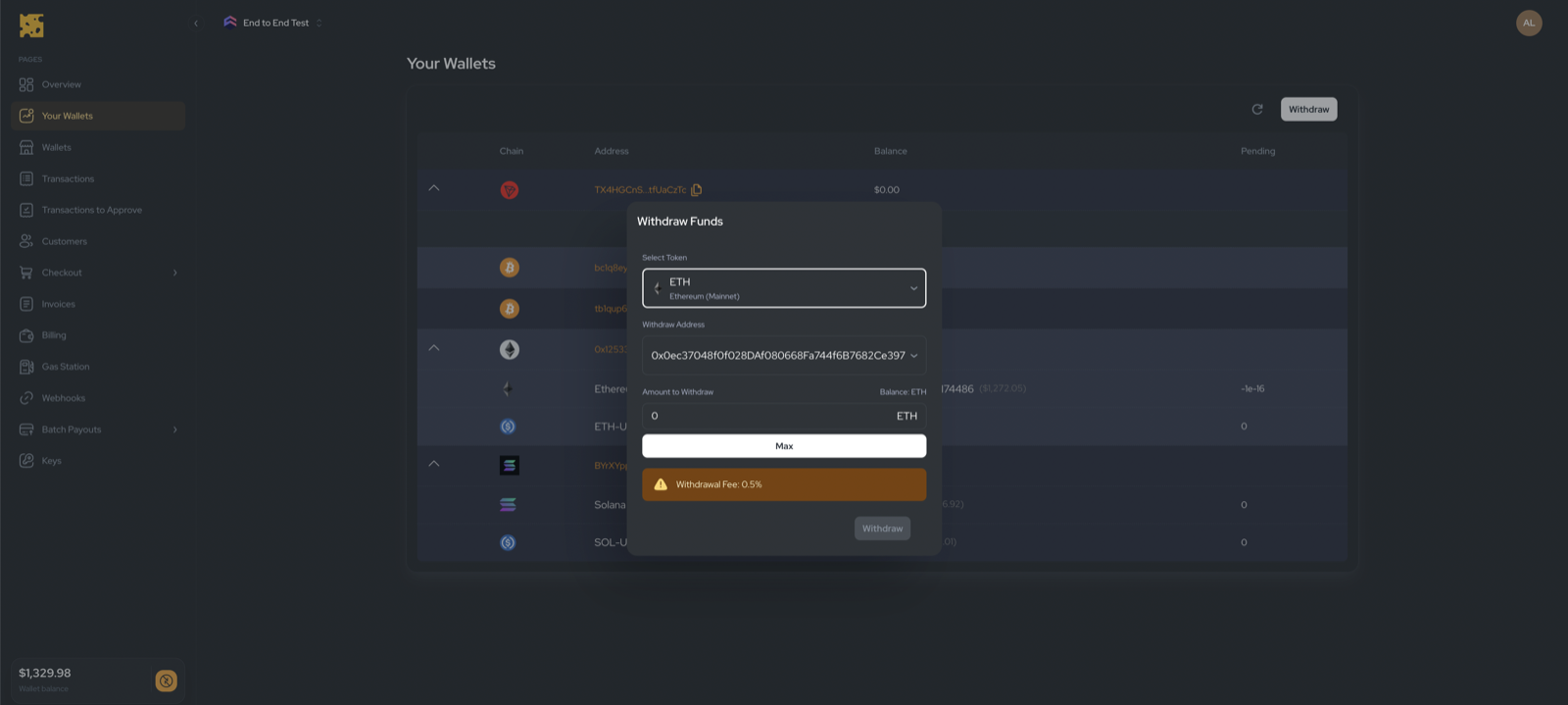
Whitelisted destination addresses are managed by the Cheddar team — see Organization security. To skip manual approval holds for trusted customer emails, use the separate Withdrawal approval email allowlist.
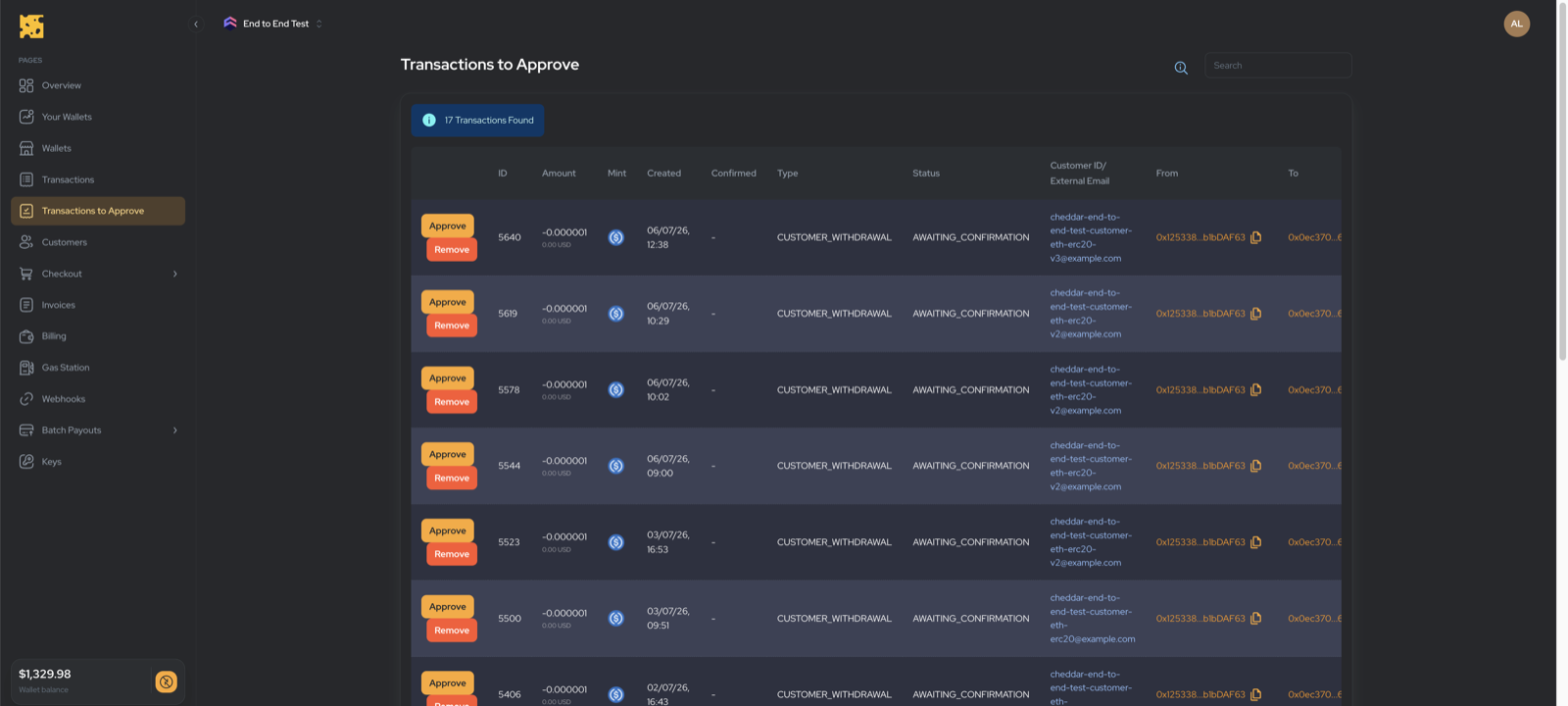
Approving withdrawals
Withdrawals above your 2FA threshold land in Dashboard → Custodial →
Transactions to Approve (/dashboard/transactions-to-approve). Each row can be
Approved (broadcasts it) or Removed (rejects it).