
Organization security
Dashboard → Organization (/dashboard/organization) holds your
organization’s security settings.
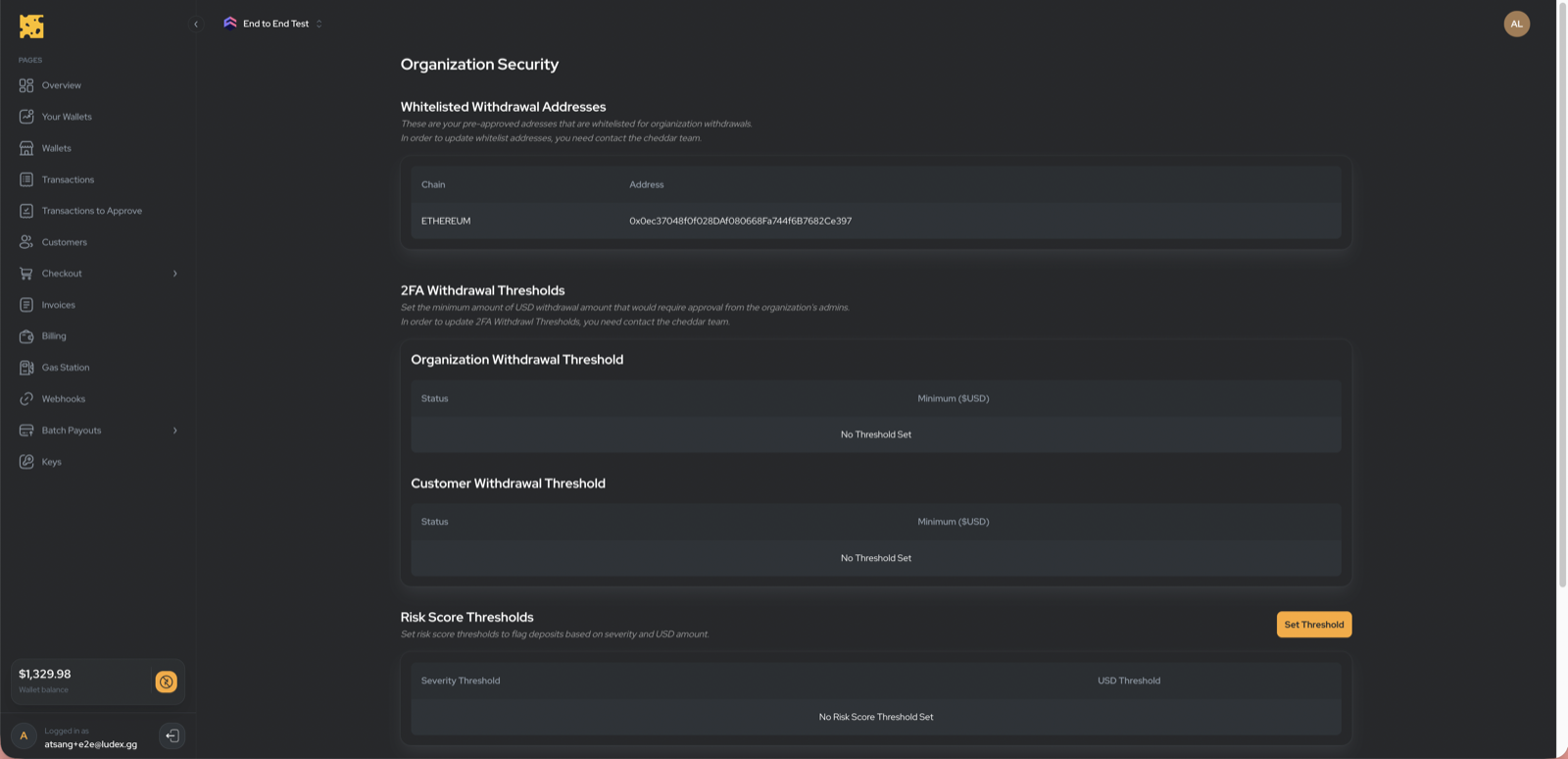
Whitelisted withdrawal addresses
Read-only list of destination addresses your organization may withdraw to. To add or remove an address, contact the Cheddar team. This is separate from the Withdrawal approval email allowlist, which controls which customer emails skip manual approval holds on custodial withdraws.
Withdrawal approval email allowlist
Self-serve list of customer emails that skip manual approval and over-threshold
holds on custodial POST /withdraw — without bypassing destination-address
checks, low-liquidity holds, or risk screening. Add and remove emails on this
page; see Withdrawal approval emails for
match rules and API interaction.
2FA withdrawal thresholds
Read-only display of the USD thresholds (organization and customer) above which a withdrawal requires 2FA approval. Approvals happen in Transactions to Approve. Contact the Cheddar team to change thresholds.
Risk-score thresholds
Set a USD threshold per severity level (CRITICAL → VERY_LOW) via Set / Update to control how flagged-fund risk is handled.
Internal transfer thresholds
Set a USD threshold per chain (Ethereum, Bitcoin, Solana, Tron) that governs internal sweeps.
Player-balance webhook
Configure the player-balance webhook URL and secret here — see Webhooks.
Test vs live
There is no global test/live switch. Dashboard → Custodial → Wallets
(/dashboard/wallets) has a Testnet / Mainnet toggle that filters the wallet
view. Tokens are marked testnet or mainnet individually (GET /mints returns
isTestnet).